
What Conversations are, where to find them, how the default General conversation works, how to create a new thread, and how to create a private discussion with selected members.
1. What Are Conversations?
Conversations are project-level chat groups used for discussions related to a project. They provide a dedicated place for project communication instead of moving the discussion outside the project.2. Where to Find Conversations
Open the required Project and select the Conversations tab from the project navigation.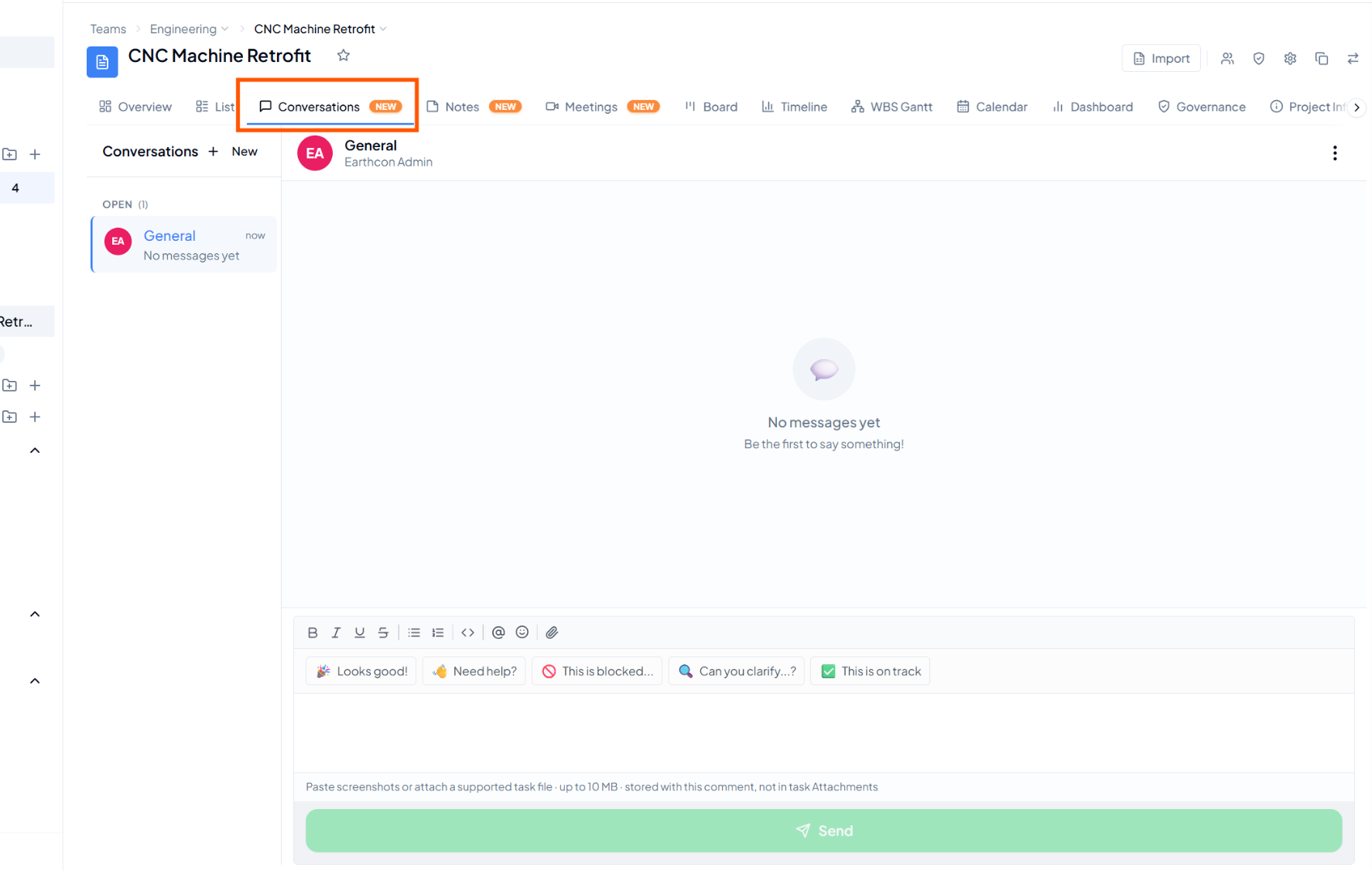 Conversations tab inside a project, with the default General
conversation and message area.
Conversations tab inside a project, with the default General
conversation and message area.
3. The General Conversation
4. Create a New Conversation Thread
When a discussion needs its own topic, click + New beside Conversations. The New Thread window opens.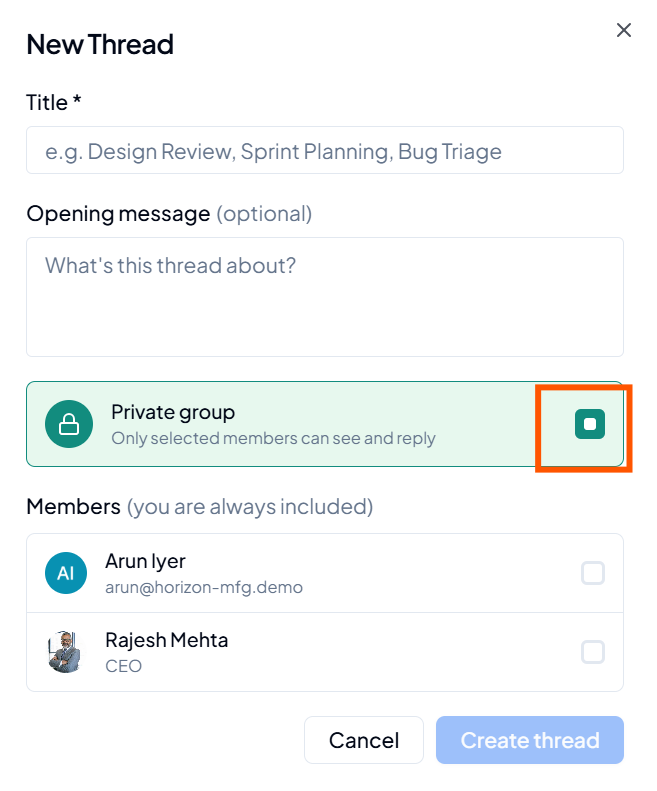 New Thread window for creating a project conversation.
5. Complete the New Thread Details
6. Create a Private Conversation
1
Click + New
Open a new thread from the Conversations area.
2
Enter the thread details
Add the title and, if required, an opening message.
3
Enable Private group
Turn on Private group when access should be limited.
4
Select members
Choose the members who should be included in the private
conversation.
5
Create the thread
Review the details and click Create thread.
Private conversation
When Private group is enabled, only the selected members can see and reply to that thread.
7. Using Conversations for Project Communication
8. Before Creating a New Thread
- The discussion belongs to the correct project.
- The title clearly explains the topic of the conversation.
- An opening message is added when the group needs context.
- Private group is enabled only when the discussion needs restricted visibility.
- All required members are selected for a private conversation.
9. Quick Reference
10. Common Questions
Where are Conversations available?
Where are Conversations available?
Inside a project, from the Conversations tab.
Do I need to create General?
Do I need to create General?
No. General is available as the default project conversation.
Is an opening message mandatory?
Is an opening message mandatory?
No. The New Thread window shows the opening message as optional.
Who can view a private thread?
Who can view a private thread?
Only the selected members can see and reply to the private conversation.
Am I included in a private thread I create?
Am I included in a private thread I create?
Yes. The New Thread window states that you are always included.