
How to find an existing task, edit its information, communicate through comments, add files and subtasks, maintain the correct status, and use task-level actions.
1. Where to Find and Open a Task
Once a task is created, the Assignee or Reporter can access it from My Tasks or from the relevant Project space. Open the task to view and update its details.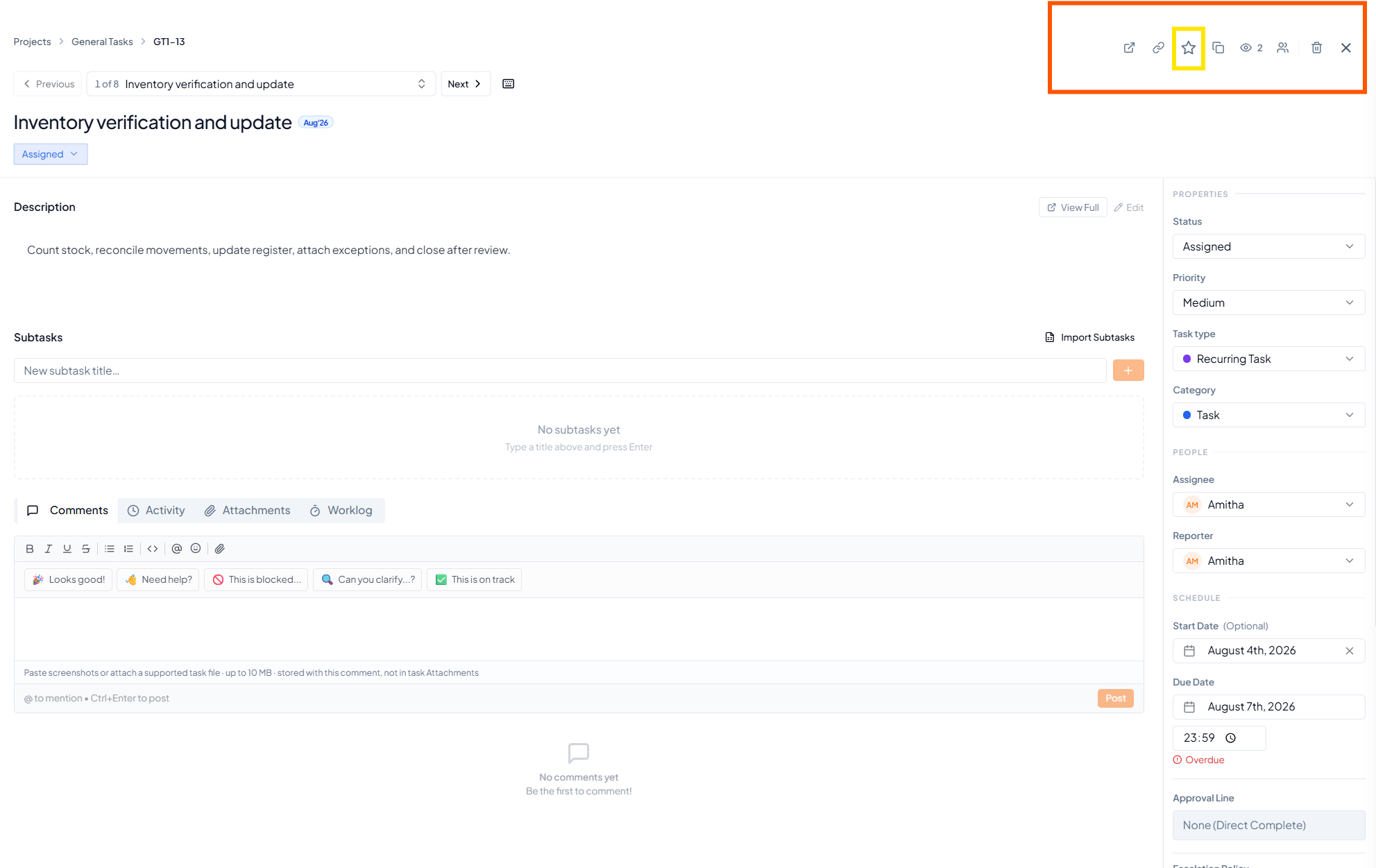 A task page with task details, subtasks, discussion tabs and
properties.
A task page with task details, subtasks, discussion tabs and
properties.
2. Understanding and Editing Task Details
Task information can be updated after creation. Edit the task whenever ownership, dates, description or other details change.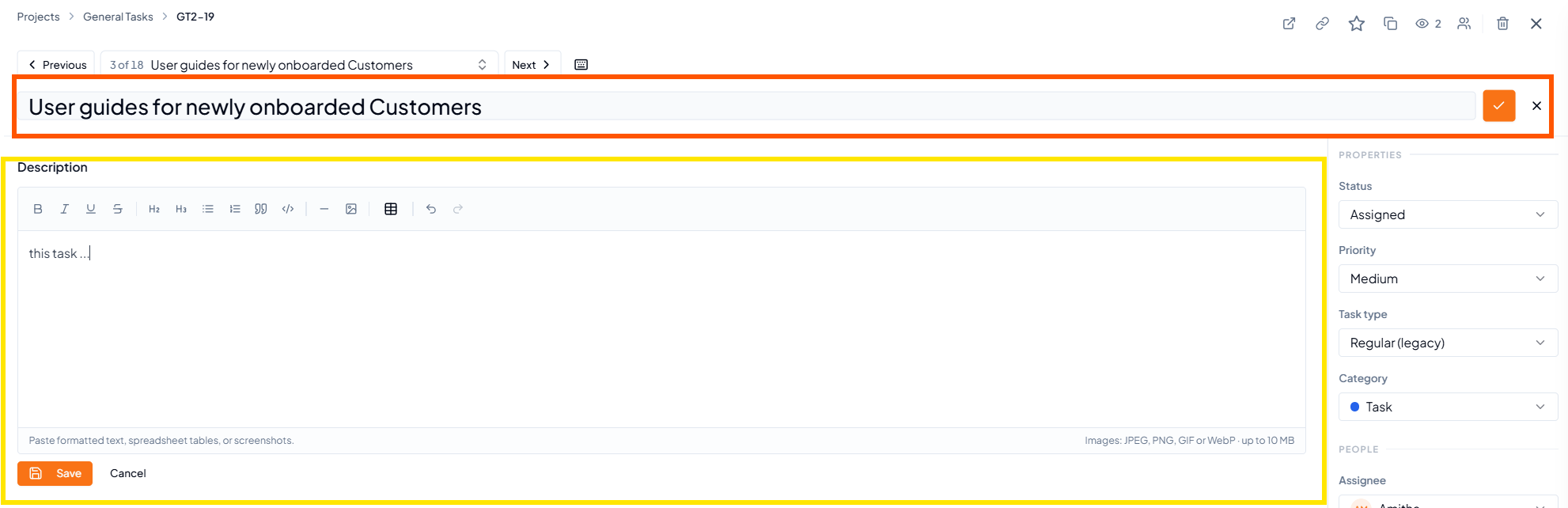 Editing the task title and description; task properties remain
available on the right.
Editing the task title and description; task properties remain
available on the right.
3. Adding Comments and Discussions
Use Comments for updates, questions, clarifications and decisions related to the task. Enter the message and click Post.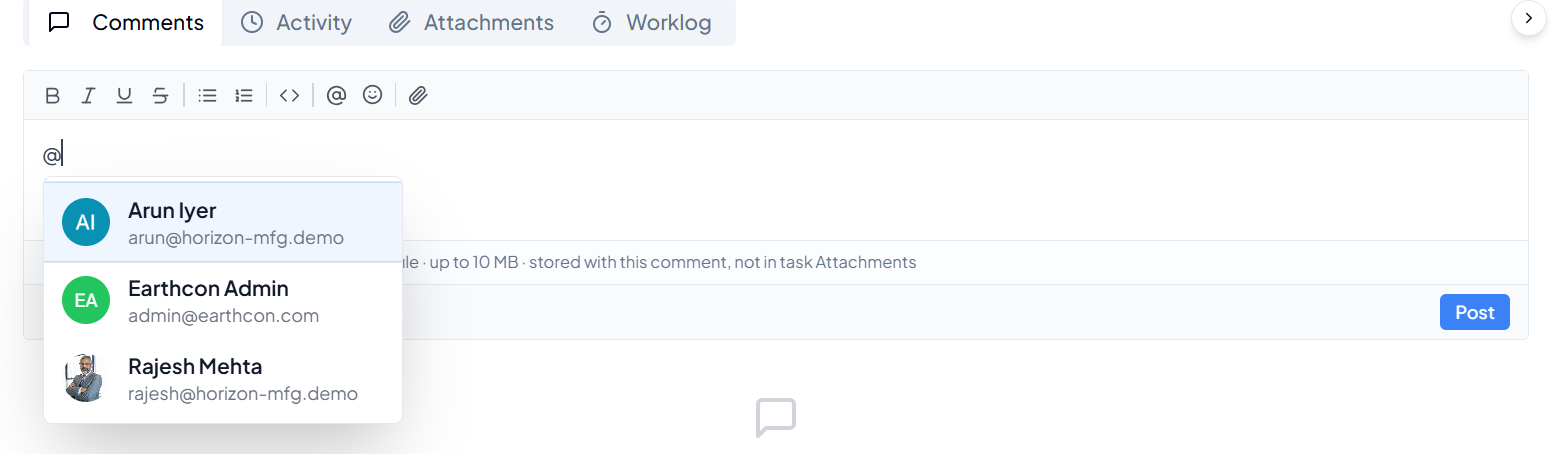 Use @ in a comment to select and mention a specific person.
1
Write the update
Add the progress update, question or information in the Comments
box.
2
Mention a person when required
Type @ and select the relevant person to specifically bring the
comment to their attention.
3
Post the comment
Click Post to add the comment to the task discussion.
4. Adding Subtasks
A subtask is a smaller activity that needs to be completed as part of finishing the parent task. Subtasks can be added one at a time or imported in bulk. Add one subtask using the + button or use Import Subtasks for bulk
creation.
Add one subtask using the + button or use Import Subtasks for bulk
creation.
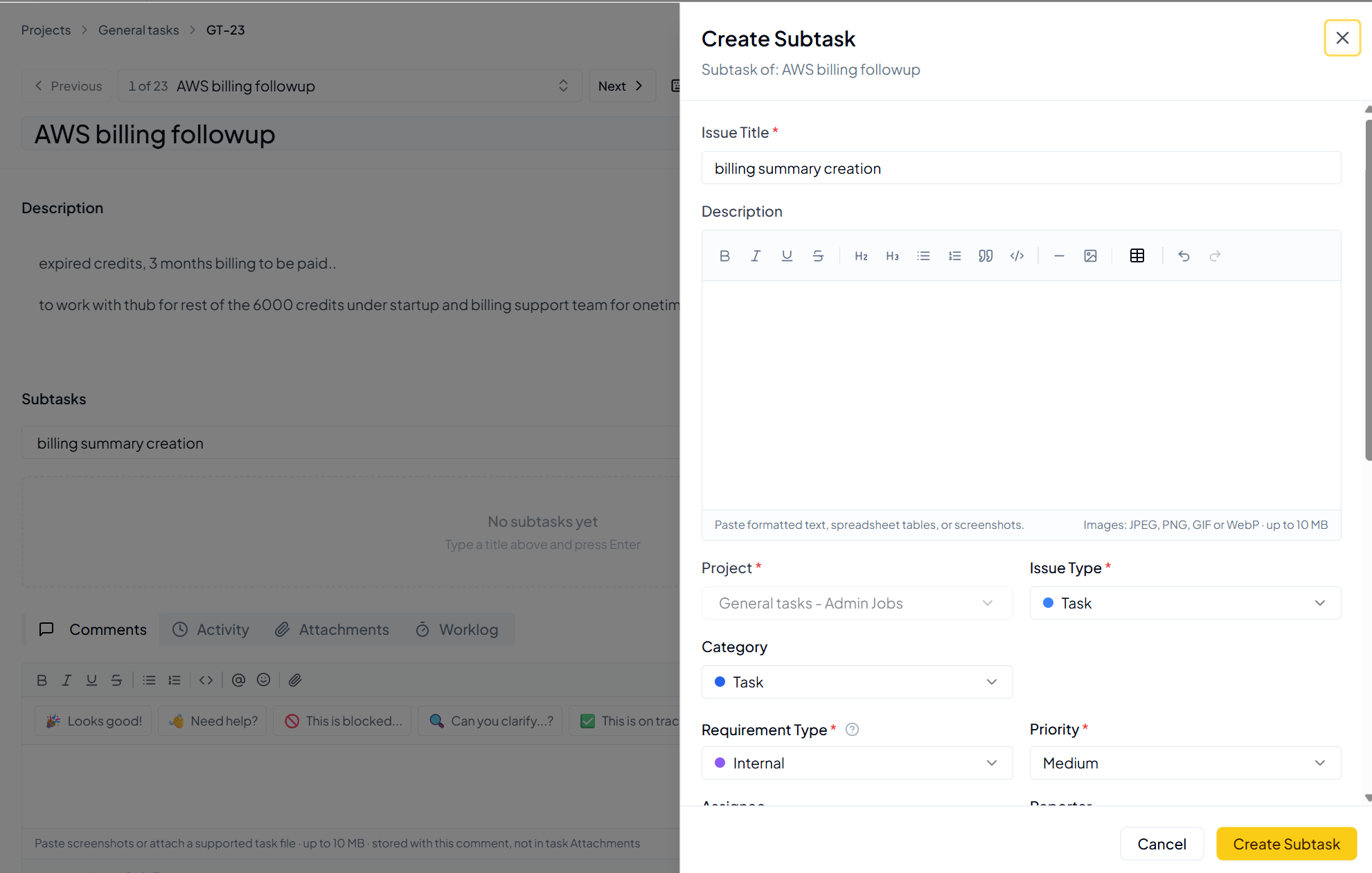 Create Subtask form. Add the required details and click Create
Subtask.
Create Subtask form. Add the required details and click Create
Subtask.
1
Enter a title
Add a short title for the subtask and click +.
2
Complete subtask details
Add the description, assignee, reporter, dates, priority,
attachments and other required fields.
3
Create the subtask
Review the information and click Create Subtask.
5. Changing Task Status
Task status must be updated manually as work progresses. Status can be changed inside the task or from the task list/dashboard where the status field is available.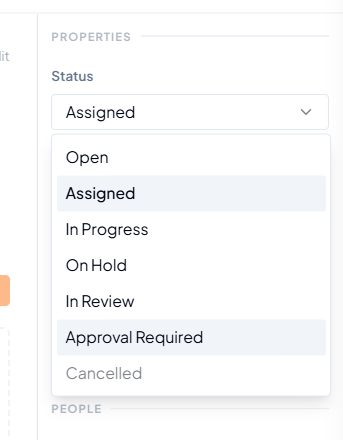 Task status options, including Approval Required.
6. Other Actions Available on a Task
 Quick actions available at the top-right of a task.
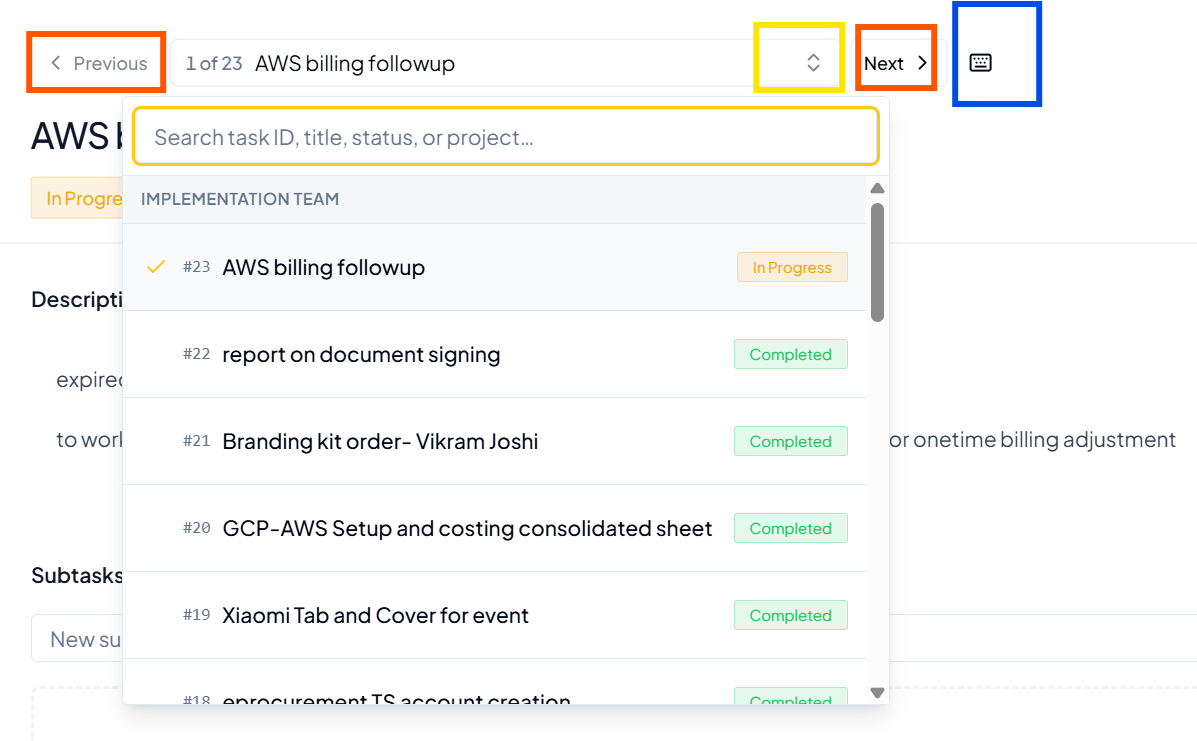 Previous, Next and task selector controls for moving between tasks in
the project.
Previous, Next and task selector controls for moving between tasks in
the project.
7. Activity and Worklog
Why Activity is useful
Activity gives you a chronological view of what happened on the task, making it easier to understand its sequence of updates and actions.
8. Before You Finish Updating a Task
- The task title and description still reflect the current requirement.
- The correct Assignee and Reporter are selected.
- Priority and dates are current.
- Important updates are recorded in Comments.
- Required supporting files are attached.
- Subtasks are added where the parent task needs smaller actions.
- The task status reflects the actual stage of work.