
Julley Support is the in-application area for raising issues or questions related to SethuOS — tickets raised here reach the Julley Support team directly and are tracked in one place until resolved.
1. What Is Julley Support?
Julley Support is the in-application support area for raising issues or questions related to Julley SethuOS. Tickets raised here reach the Julley Support team directly and are responded to or resolved as required.Why use it?
The complete support request stays in one place, and the same dashboard keeps you informed about the current status of the ticket.
2. Where to Find Julley Support
Open your profile menu at the top-right of SethuOS and select Julley Support.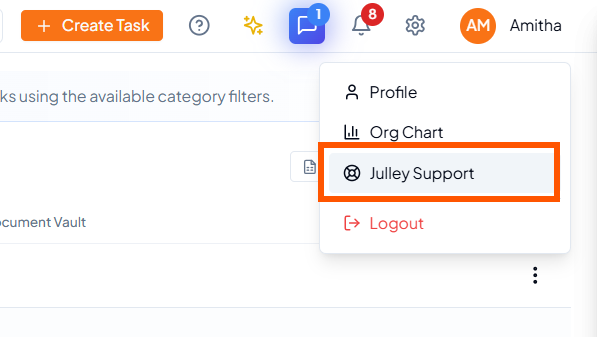 Open the profile menu and select Julley Support.
3. Raise a New Support Ticket
From the Julley Support dashboard, click New ticket to open the support-ticket form.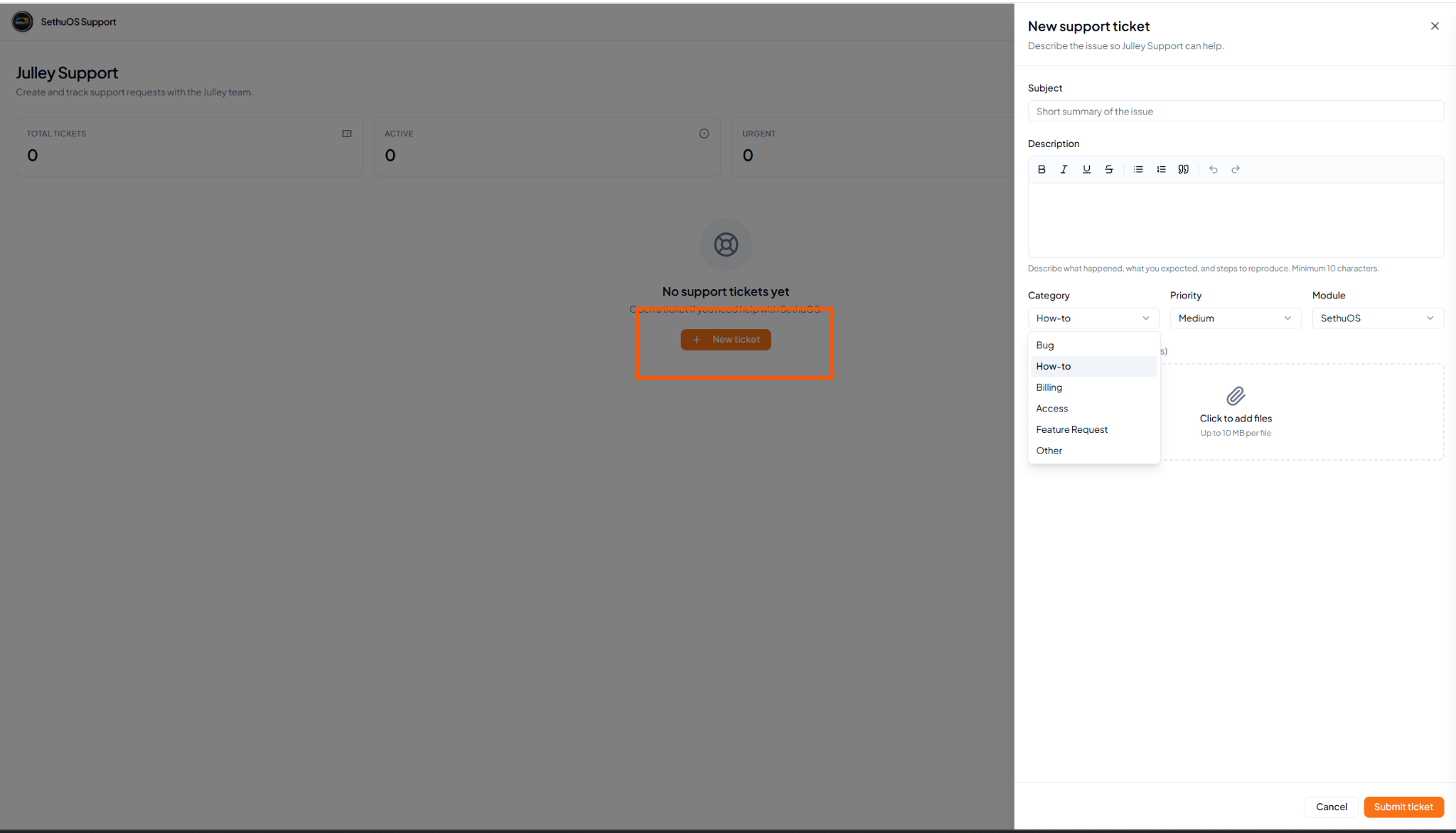 New ticket opens the support-ticket form.
1
Enter the subject
Add a short, one-line summary of the issue.
2
Describe the issue
Explain what happened and provide enough detail for the Julley
Support team to understand the request.
3
Choose category, priority and module
Classify the request so it can be routed and understood correctly.
4
Add supporting files
Attach screenshots or documents that help explain the issue, where
required.
5
Submit the ticket
Review the information and click Submit ticket.
4. Support Ticket Field Reference
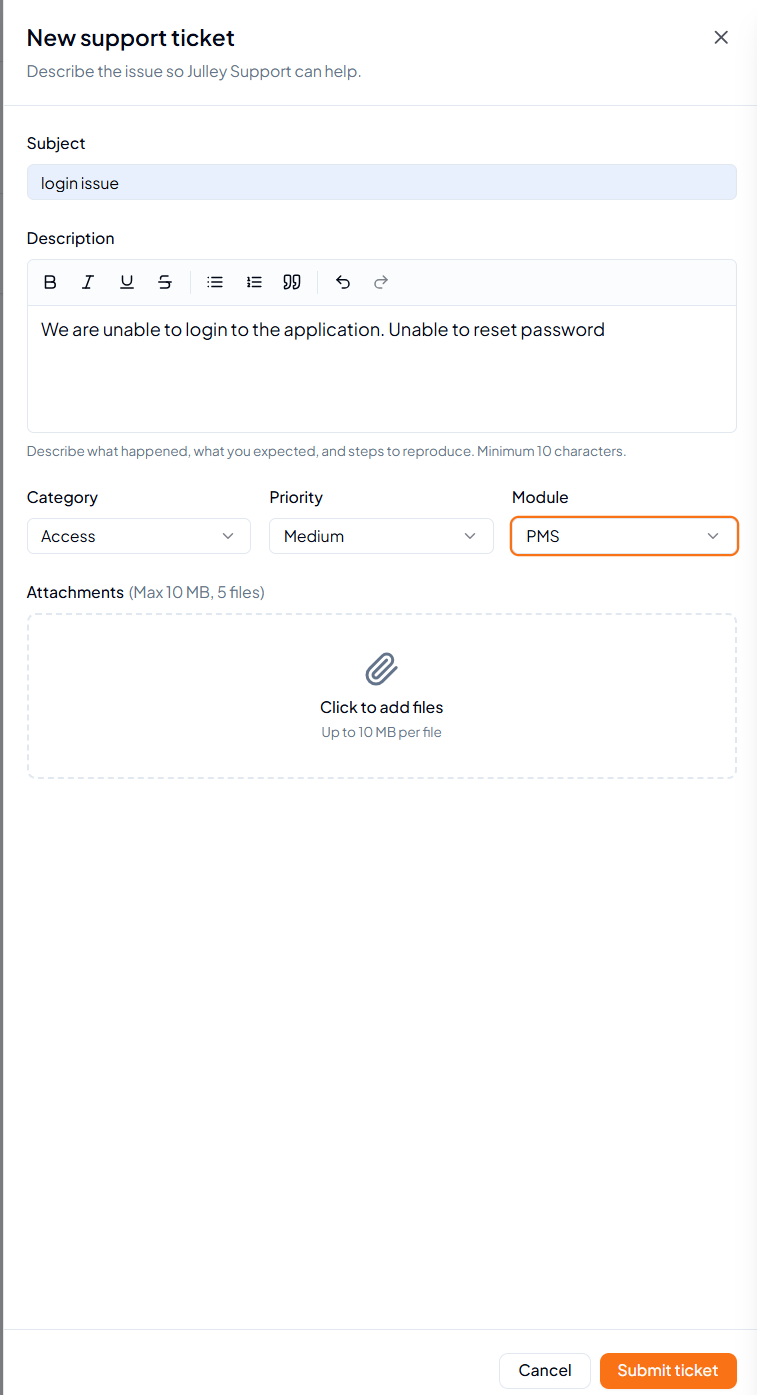 Example of a completed support-ticket form.