
People Analytics shows task workload and work health by user. Use it to understand who has work assigned, what is in progress, where overdue work is ageing, and whether approvals are waiting.
1. How to Read the Page
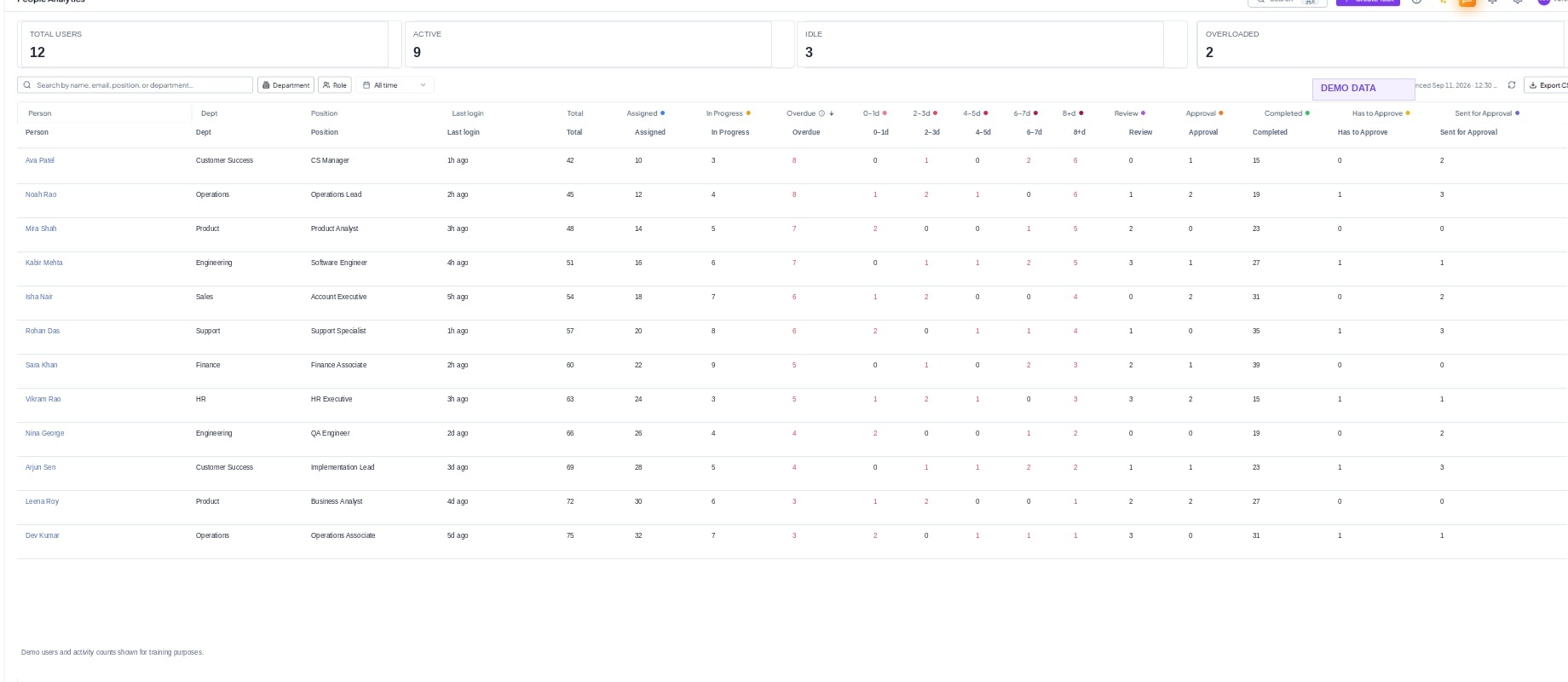 People Analytics showing workload, overdue ageing, approvals, and
completion by user.
People Analytics showing workload, overdue ageing, approvals, and
completion by user.
2. How to Infer
- High Assigned + high In Progress may indicate a heavy active load; check whether the user has too many parallel tasks.
- A high 8+d overdue count is more urgent than the same number of newly overdue tasks.
- A high Has to Approve count can create a bottleneck for other users even if the approver has few assigned tasks.
- High Completed is positive only when dates, quality, approvals, and remaining overdue work are also healthy.
- If a user appears idle but has significant assigned work, check whether the work is being updated elsewhere or is incorrectly assigned.