
1. Task Field Access & Field Level Permissions
The Field Access tab enforces mandatory field rules during task creation and configures role-based Field Level Permissions across Assignees, Reporters, and Followers.1
Open Field Access Tab
Click Field Access tab in Task Configuration.
2
Set Mandatory Checkboxes
Check the Mandatory checkbox next to required fields (e.g. Due
Date, Priority, Assignee) to enforce population during task
creation.
3
Configure Role Permissions
Set View / Edit permission toggles for Assignees, Reporters, and
Followers in the Field Level Permissions matrix.
4
Save Field Policy
Click Save Field Access Settings to enforce rules across all task
forms.
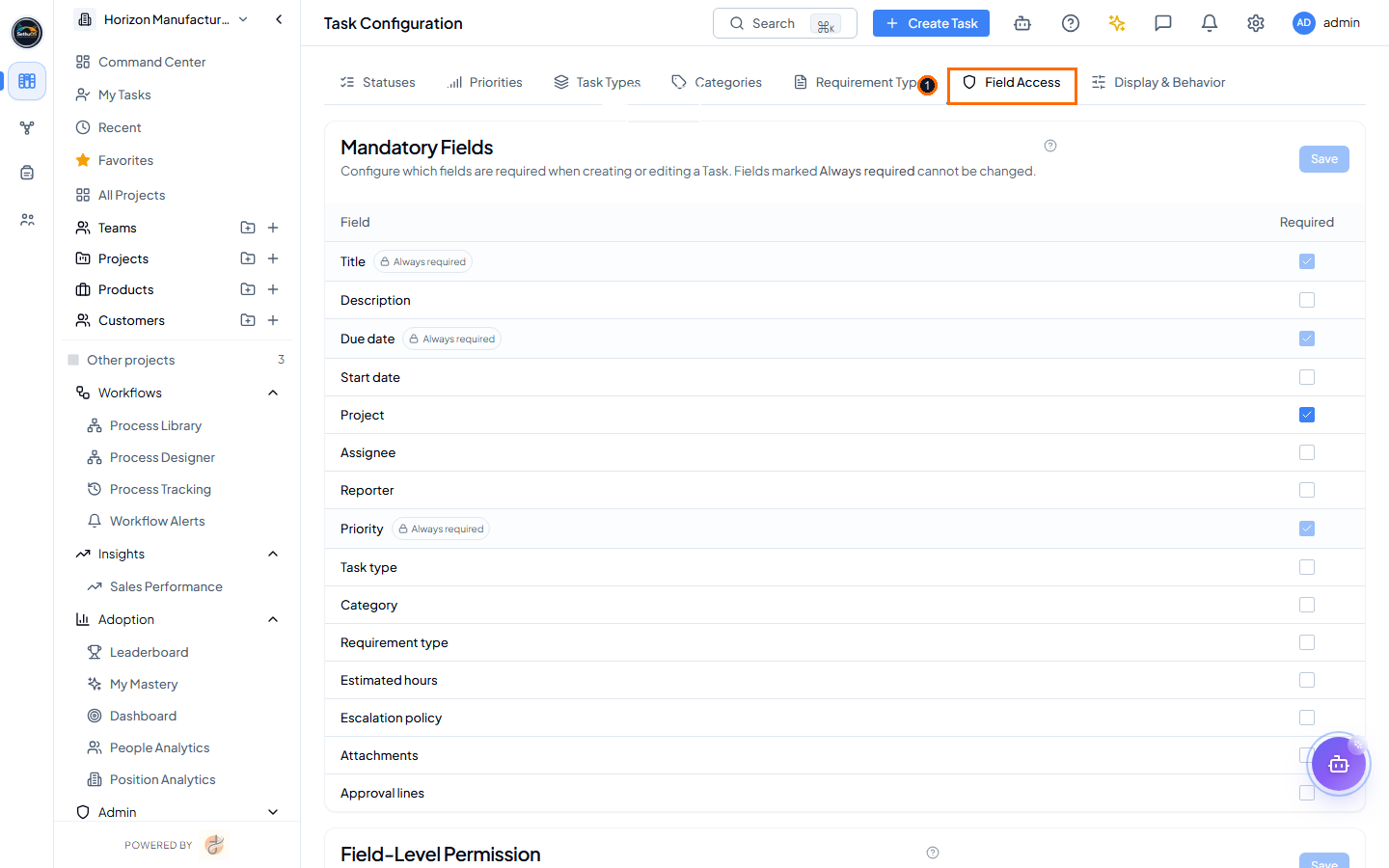 Field Access management screen highlighting (1) Mandatory field
checkboxes and Field Level Permissions matrix (Light Mode).
Field Access management screen highlighting (1) Mandatory field
checkboxes and Field Level Permissions matrix (Light Mode).
Which roles can edit each field, at a glance.
● editable (on by default) · — cannot be granted — the server refuses the save even if the box is ticked.
2. Task Display & Behavior
The Display & Behavior tab manages global workspace toggles and configures the Subtasks Completion Rule governing parent task closure.3. Subtasks Completion Rule Breakdown (Strict vs Flexible)
The Subtasks Completion Rule determines whether a parent task can be closed when nested subtasks remain incomplete. See Attachments & Subtasks: Subtask Completion Rule for how this rule appears to end users while working on a task.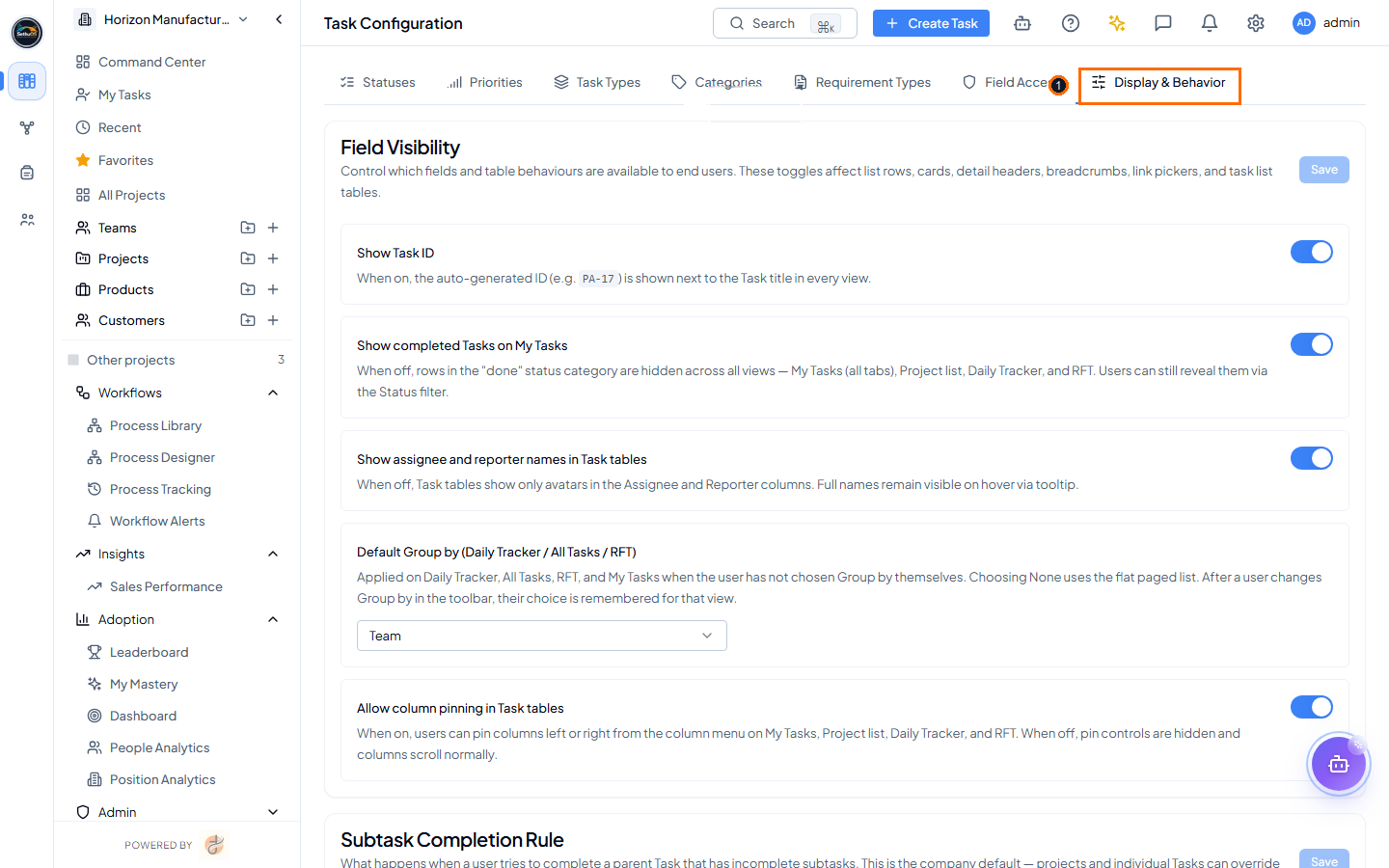 Task Display & Behavior screen highlighting (1) Display & Behavior
tab selector and Subtasks Completion Rule toggles (Light Mode).
Task Display & Behavior screen highlighting (1) Display & Behavior
tab selector and Subtasks Completion Rule toggles (Light Mode).
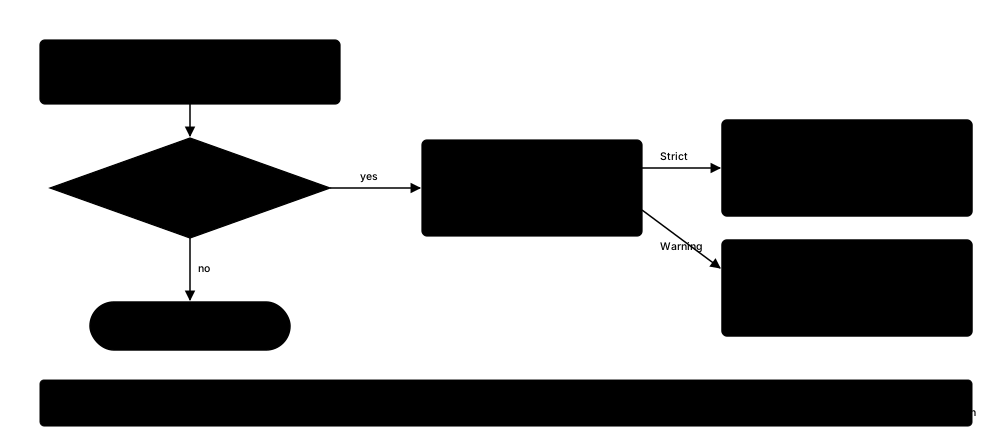 What Strict and Warning mode do differently when a task has open subtasks.
| Auto-Archive Closed Tasks | Toggle Switch | Automatically transfers completed tasks to Archive after retention threshold. |
What Strict and Warning mode do differently when a task has open subtasks.
| Auto-Archive Closed Tasks | Toggle Switch | Automatically transfers completed tasks to Archive after retention threshold. |