
1. Task Status
Task status must be updated manually as work progresses. Status can be changed inside the task or from the task list/dashboard where the status field is available.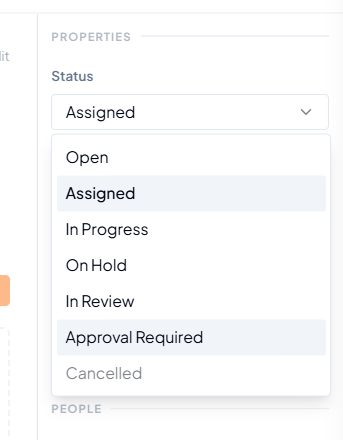 Task status options, including Approval Required.
 How a task moves through its status lifecycle, including the approval gate and the Blocked flag.
Remember
Keeping the correct task status updated makes it easier to track work accurately and to filter, group and report tasks correctly.
2. Other Actions Available on a Task
 Quick actions available at the top-right of a task.
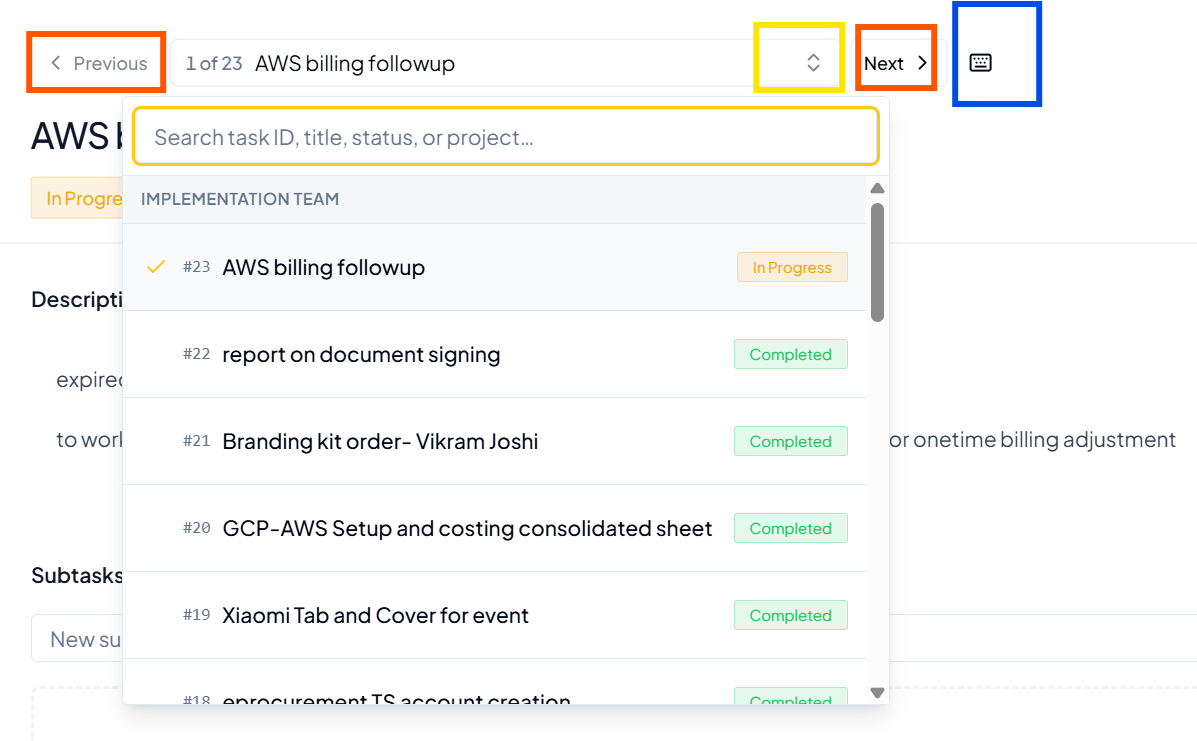 Previous, Next and task selector controls for moving between tasks in
the project.
Previous, Next and task selector controls for moving between tasks in
the project.
3. Before You Finish Updating a Task
- The task title and description still reflect the current requirement.
- The correct Assignee and Reporter are selected.
- Priority and dates are current.
- Important updates are recorded in Comments.
- Required supporting files are attached.
- Subtasks are added where the parent task needs smaller actions.
- The task status reflects the actual stage of work.