
1. What Task Duplication Does
Duplication allows you to create a new task by copying an existing one. Instead of rebuilding the same task every time, you can choose exactly what should be carried into the duplicate.- Reuse the task title, description, dates, priority, process settings, custom fields and subtasks where required.
- Choose whether people such as assignees, reporters and followers should be copied.
- Choose whether the task’s subtasks are included.
- Choose whether notifications should be sent after duplication.
2. Start from the Task Menu
Open the task that you want to reuse. From the More options menu in the task detail view, select Duplicate Task.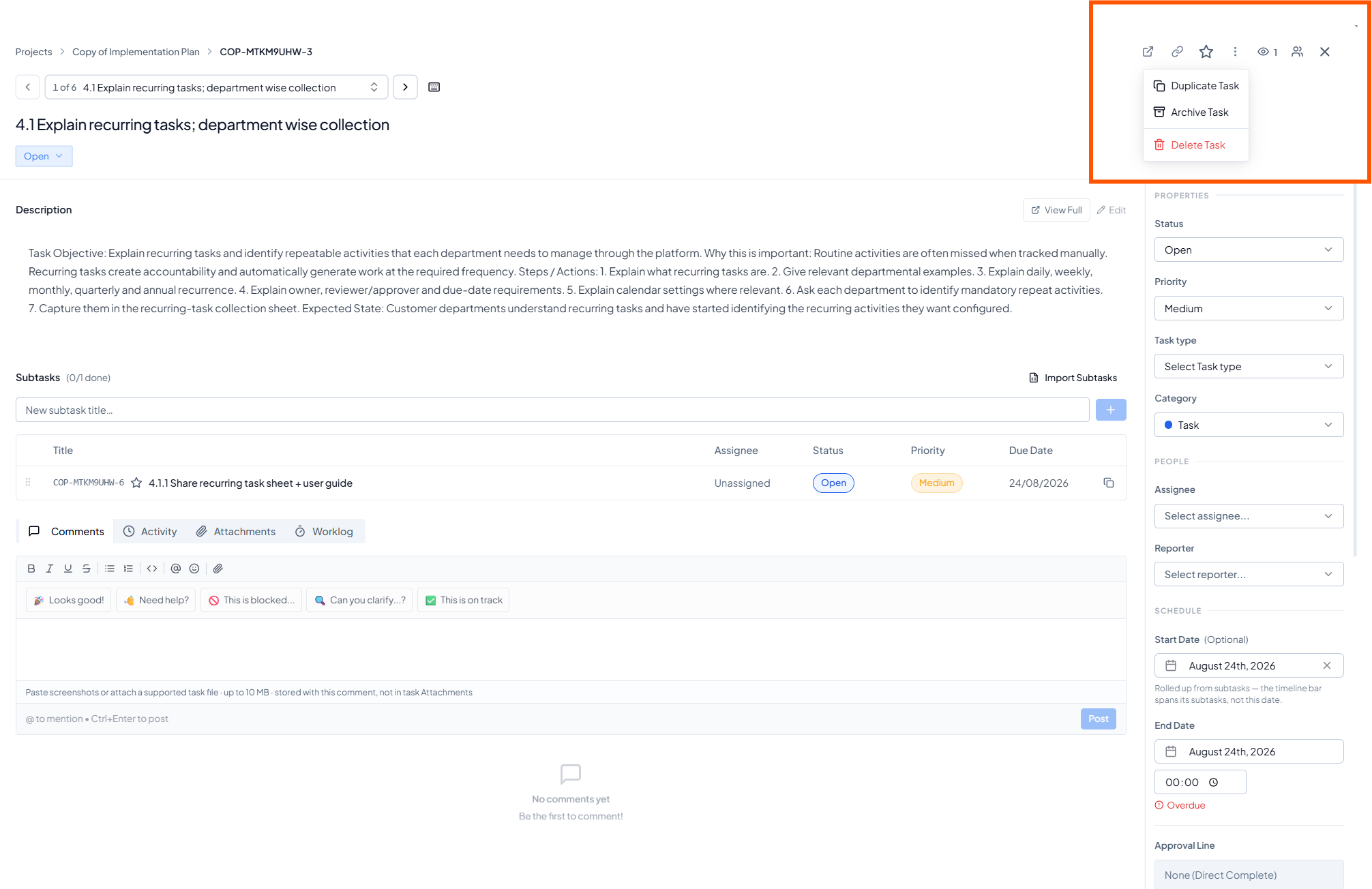 Open the task menu and select Duplicate Task.
3. Configure Task Fields
The Configure screen opens with a suggested New Task Title. Update the title as required and choose which fields should be copied into the duplicate.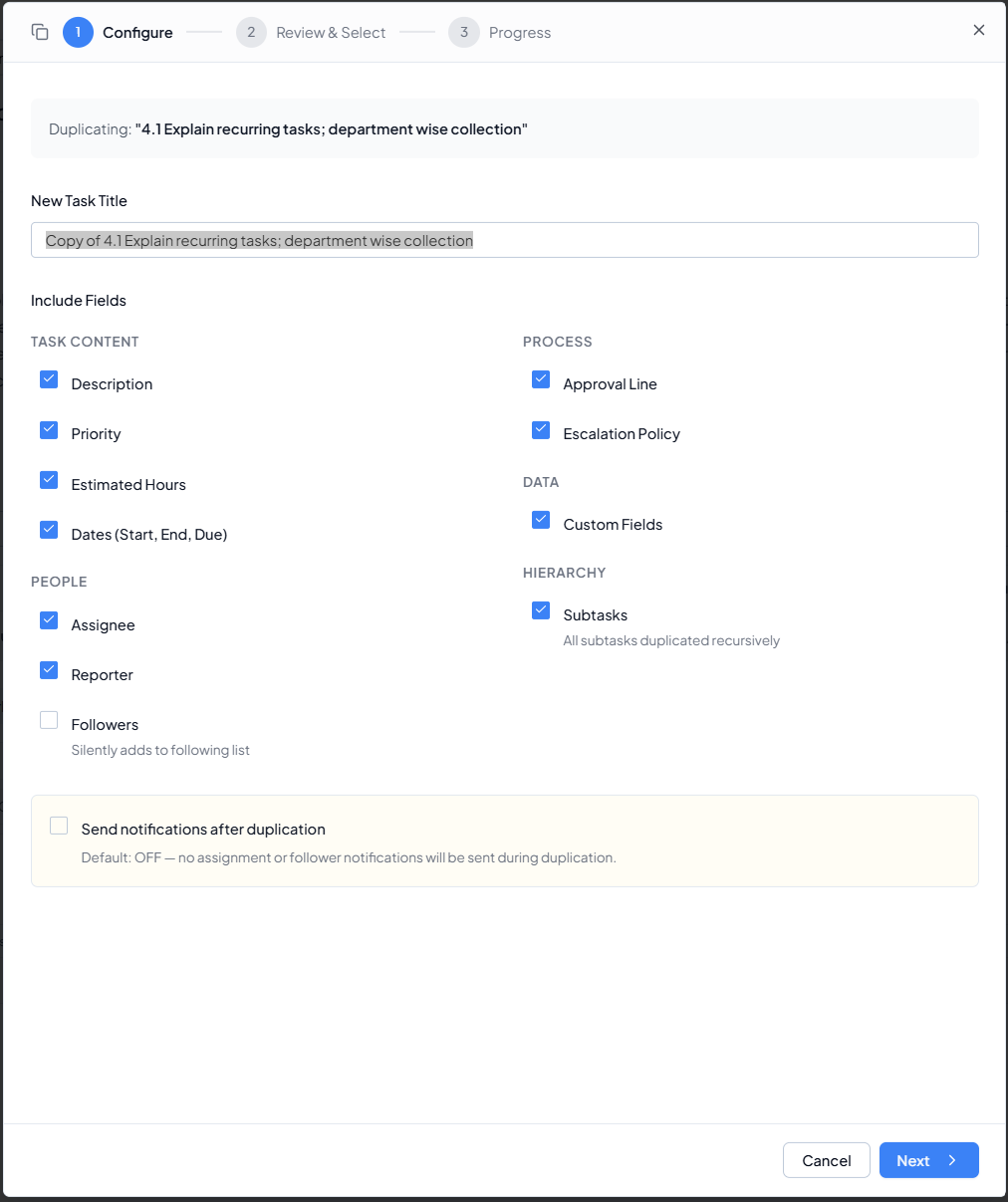 Configure the duplicated task title and select the fields to copy.
4. Review Parent Task and Subtasks
Click Next to review the task hierarchy. The parent task and its subtasks are listed separately so you can choose exactly what should be created.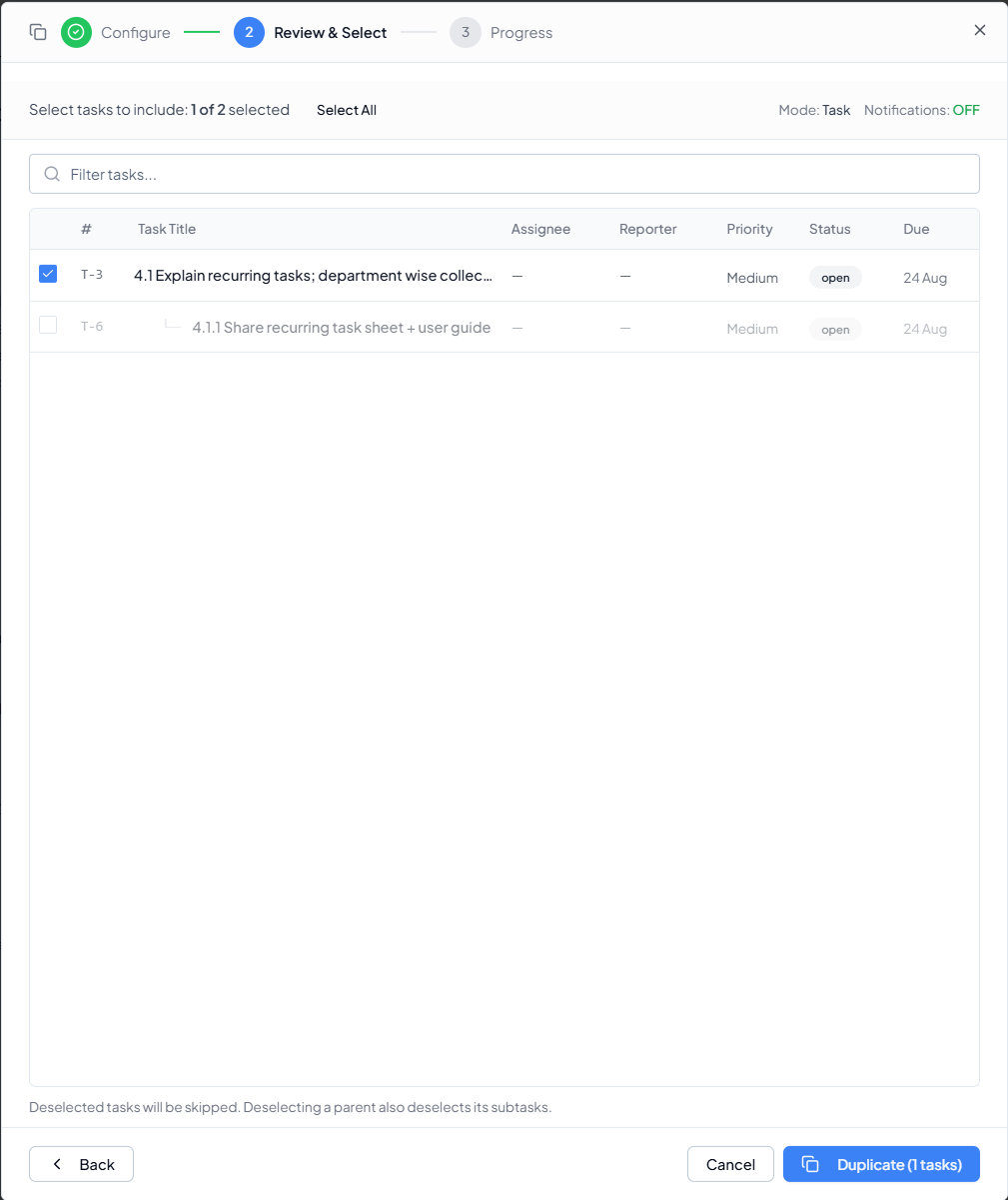 Select the parent task and the required subtask(s) before
duplication.
Select the parent task and the required subtask(s) before
duplication.
Hierarchy rule
If you do not want a subtask in the duplicate, leave it unchecked. Deselecting a parent also deselects its subtasks.
5. What the Duplicated Task Looks Like
The new task is created as a separate task record. Copied fields appear according to the selections you made during Configure. If people were not copied, the task will be unassigned and can be assigned to the correct person for the new instance. Example of duplicated tasks created as separate task records in the
project list.
Example of duplicated tasks created as separate task records in the
project list.
6. Recommended Duplication Choices
7. Before You Duplicate
- The correct source task is open.
- The new task title is clear and distinguishable from the source.
- Only the required fields are selected.
- Assignee, reporter and follower choices are appropriate for the new instance.
- Dates are reviewed to ensure old deadlines are not reused unintentionally.
- The required parent task and subtasks are selected.
- Notification preference is correct before clicking Duplicate.