
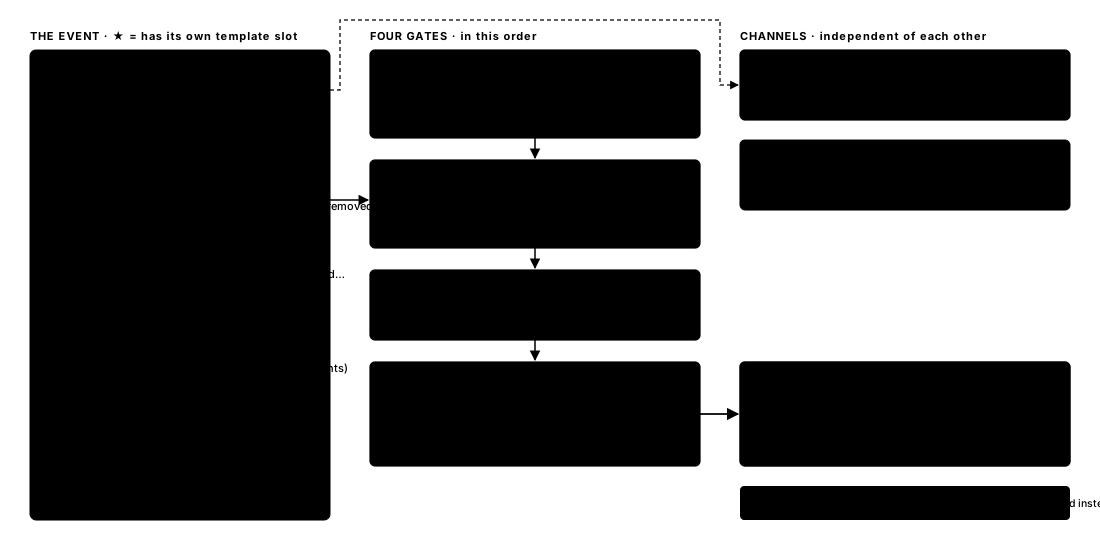
Left: a list of product events grouped as tasks, approvals and escalation, collaboration, recurring, and a twice-daily digest; nine events are marked as having their own template mapping. Middle: four gates in sequence — company: Twilio enabled and credentials valid; event: an approved WhatsApp template for this event, else the company default; quota: WhatsApp messages left this period; person: WhatsApp on for this event, a phone number in the directory, outside quiet hours and under hourly and daily caps. Right: three channels — in-app is always written first, email is sent independently, WhatsApp is sent via Twilio with no fallback on failure. Which event triggers which WhatsApp message, and the checks a notification has to pass before it sends.

1. WhatsApp Messages Users Can Receive

The examples below are based on the current SethuOS notification template reference. Names, task titles, project names, dates and other values are filled dynamically.

What users should expect

Users receive concise alerts that tell them what changed and direct them back to SethuOS for action. Notification availability depends on the options enabled in Settings → Notifications → Messages. Replies to the WhatsApp notification are not used to update the task or workflow.

2. Task & Work Updates

3. Approvals

Approval Required is sent when someone requests your approval; Task Approved and Task Rejected reflect the outcome after a reviewer finishes responding to the approval request.

4. Projects

5. System & Announcements

6. Workspace & Workflow

7. Followers

8. Daily Summary