
1. Daily Tracker
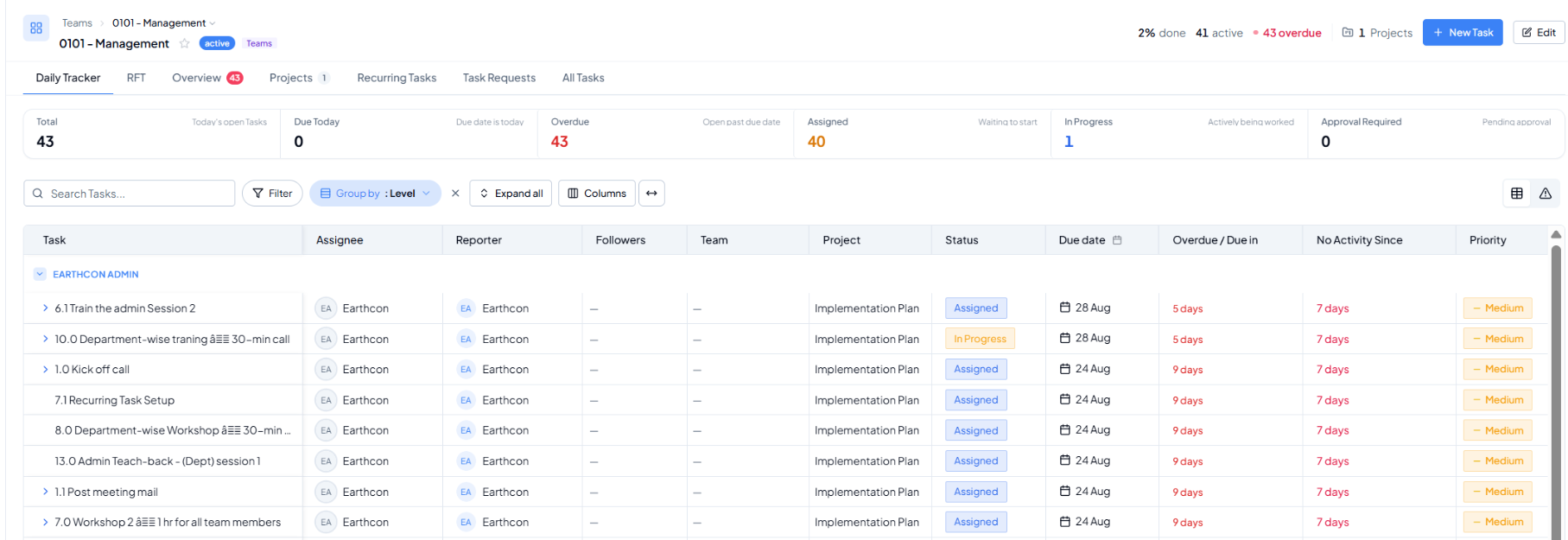 Daily Tracker - operational view of open work.
Purpose
Use Daily Tracker as the working screen for the day. It brings together open tasks that need attention and lets users quickly identify what is due, overdue, assigned, in progress, or waiting for approval.
2. Working with the Task List
- Search: find a task by name or keyword.
- Filter: narrow the list to the work you need to review.
- Group by: organise tasks by a selected dimension such as Level.
- Expand all: open grouped task sections for easier review.
- Columns: show the task information that matters for the current review.
- Open a task: use the task row to drill into task details, comments, ownership, status, and next action.