
1. Managing Delegations of Authority
The Delegations tab manages temporary transfers of approval authority and operational responsibilities during planned absences. Clicking ’+ Create Delegation’ opens the ‘Create Delegation’ modal window.1
Open Delegations Tab
Click Delegations tab on the Organization page.
2
Review Sub-Tabs
Switch between Delegations Sent (outgoing) and Delegations
Received (incoming).
3
Click + Create Delegation
Click the blue + Create Delegation button to open the setup modal
window.
4
Define Delegatee & Dates
Select delegatee user, start date, end date, and scope of
authority.
5
Save Delegation
Click Save Delegation to schedule or activate authority transfer.
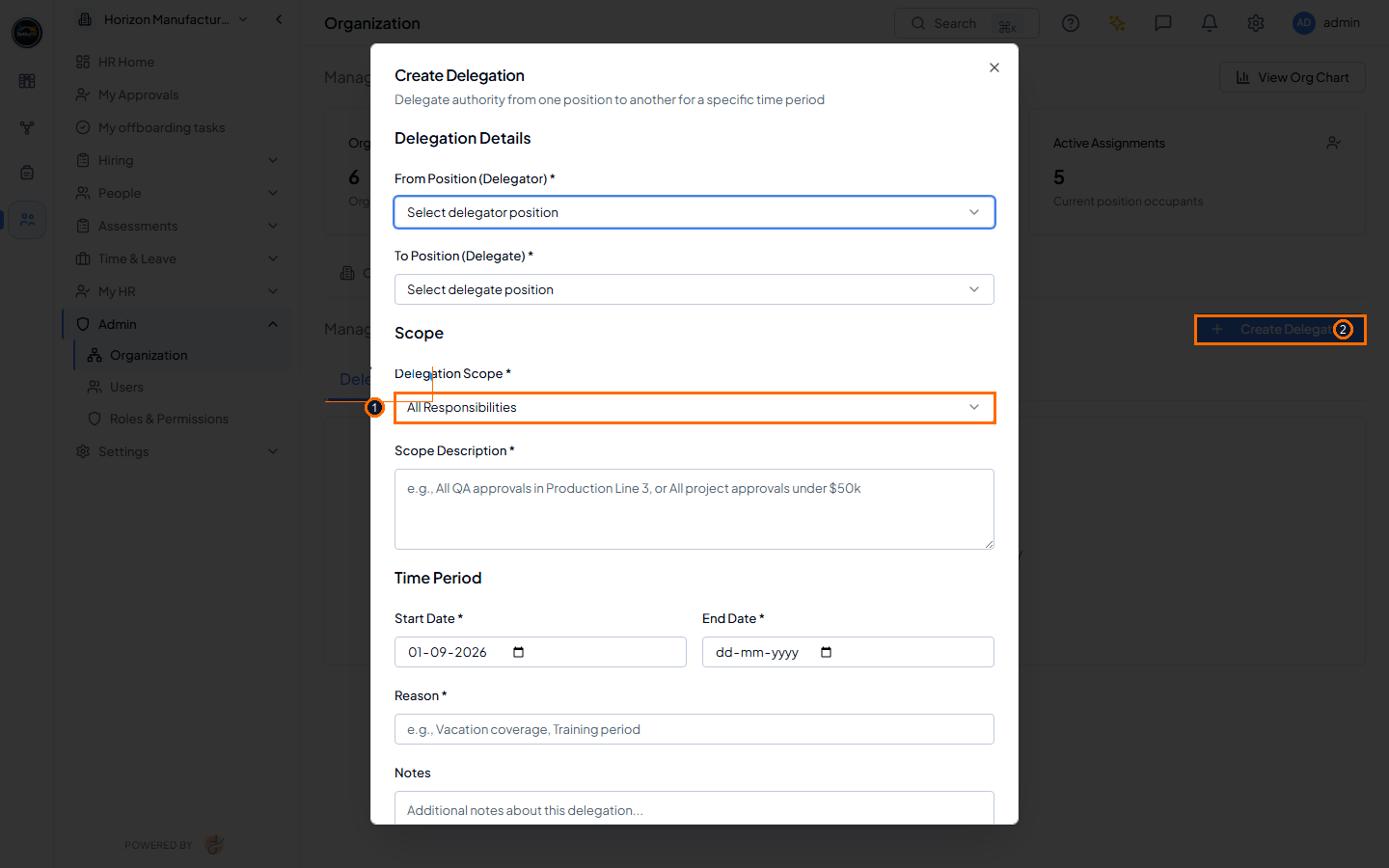 Opened ‘Create Delegation’ modal window highlighting (1) Delegations
tab selector and (2) + Create Delegation action button (Light Mode).
Opened ‘Create Delegation’ modal window highlighting (1) Delegations
tab selector and (2) + Create Delegation action button (Light Mode).
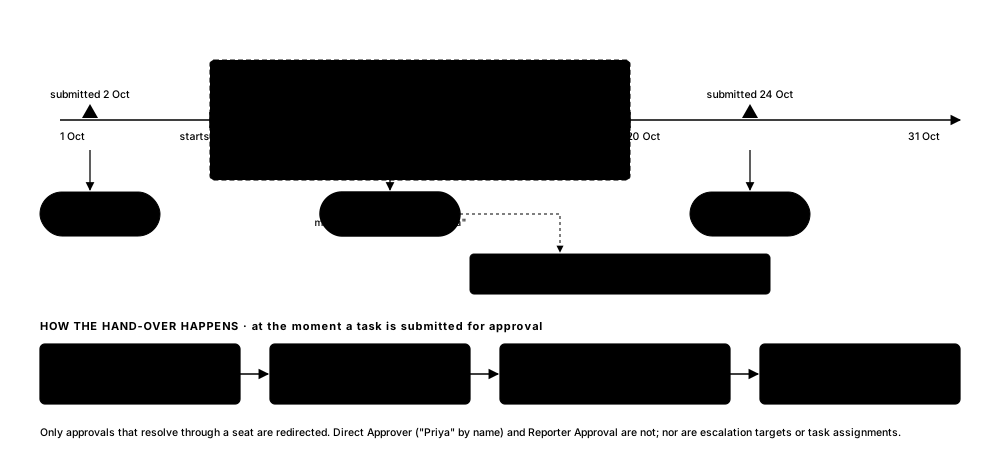 How a delegation window redirects approvals while you’re away, and what happens when it ends.
2. Pre-Deployment Validation Checklist & Common Troubleshooting
Before finalizing organization structure changes, complete the following validation checklist:- Org unit names and uppercase codes (e.g. EXEC, QUAL, MFG) are verified.
- Hierarchical parent unit links are verified using Tree View (Expand All).
- Positions are assigned correct Org Level classifications and reporting lines.
- Custom fields are configured for specialized position metadata if required.
- Position assignments accurately reflect current employee roles and occupants.
- Temporary delegations of authority have valid start and end dates assigned.
Remember
Keeping organizational units, tree structures, position definitions, and assignment history updated ensures smooth workflow routing across all platform modules.