
1. Following
What is this?
Following shows tasks where you have been added as a Follower. A Follower does not necessarily own the task, but wants visibility into its progress and updates.Why is this helpful?
- Stay informed about important tasks without becoming the Assignee.
- Monitor work owned by another person or team.
- Keep visibility on tasks where the outcome matters to you.
- Open followed tasks quickly when you need an update.
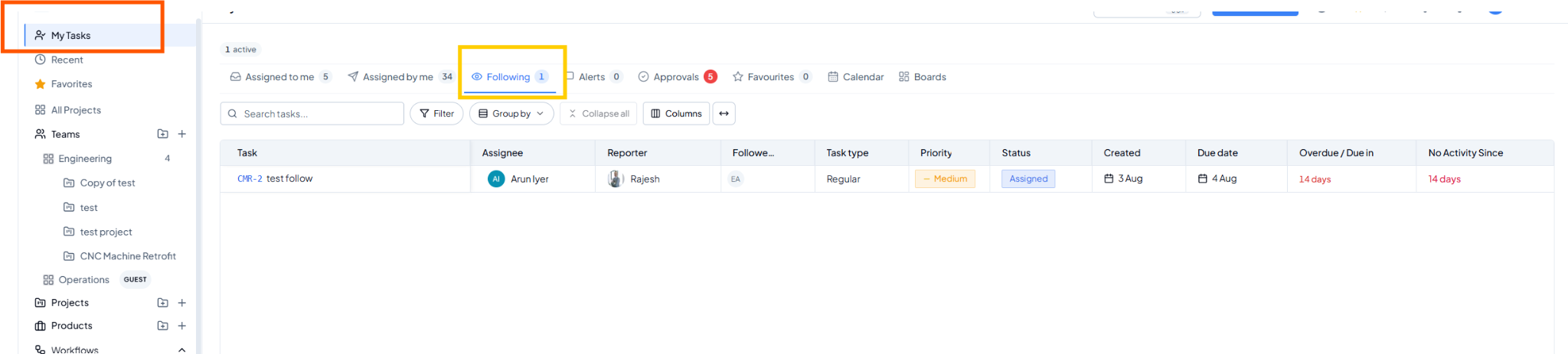 Following view.
Fields on this page
How to use it
1
Open Following
Select Following from My Tasks.
2
Review the status
Check the Assignee, Status and Due Date of tasks you are
monitoring.
3
Open when more detail is needed
Select the task to review comments, activity or task details.
4
Continue or stop following as required
Use the task follower controls when your visibility requirement
changes.
Example
Engineering owns a customer issue, but you need to know when it is resolved. Remain a Follower and monitor it from the Following tab instead of assigning the task to yourself.