
1. Favourites
What is this?
Favourites gives you quick access to tasks that you have marked with the Star option. A task can be favourited when you expect to return to it frequently.Why is this helpful?
- Keep frequently accessed tasks in one personal list.
- Return to an important task without repeatedly searching for it.
- Track important work even when you are not the Assignee.
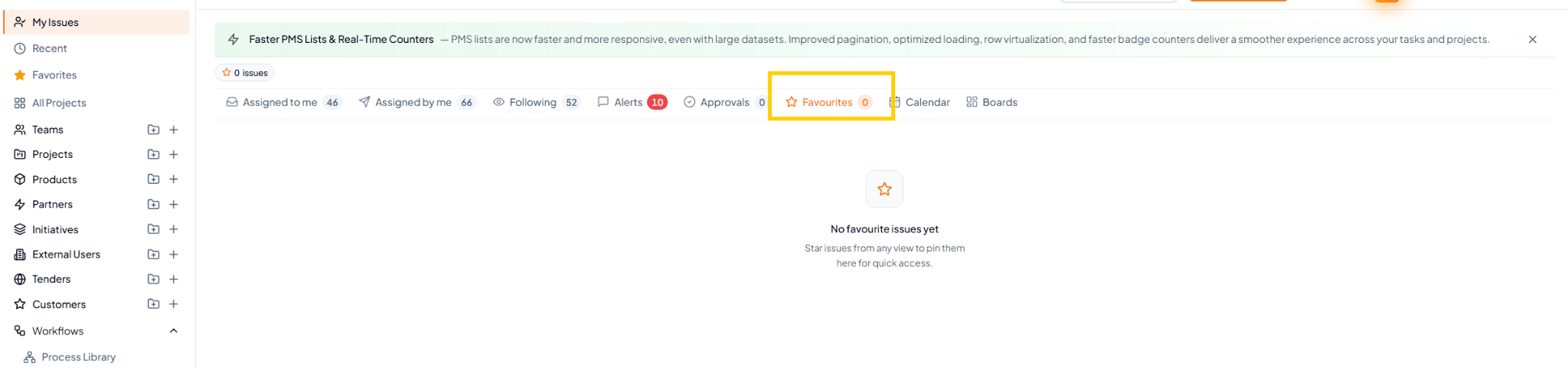 Favourites view. Star a task from another view to make it available
here.
Favourites view. Star a task from another view to make it available
here.
Fields on this page
When favourite tasks are available, they appear as a task list similar to other My Tasks list views. If no tasks are starred, the page displays an empty-state message such as “No favourite issues yet”.How to use it
1
Find an important task
Open the required task from any available task view.
2
Add it to Favourites
Select the Star / Add to Favourites option on the task.
3
Open Favourites
Go to My Tasks > Favourites whenever you want quick access.
4
Remove when no longer needed
Unstar the task when it no longer needs to remain in your
Favourites list.
Example
You are closely tracking a customer implementation task for several weeks. Add it to Favourites so that you can reopen it quickly whenever required.