
The Board provides a visual, status-based view of project tasks. Tasks appear as cards under columns such as In Progress, On Hold, In Review, Approval Required, Completed, and other configured statuses.
1. What Is the Board Tab?
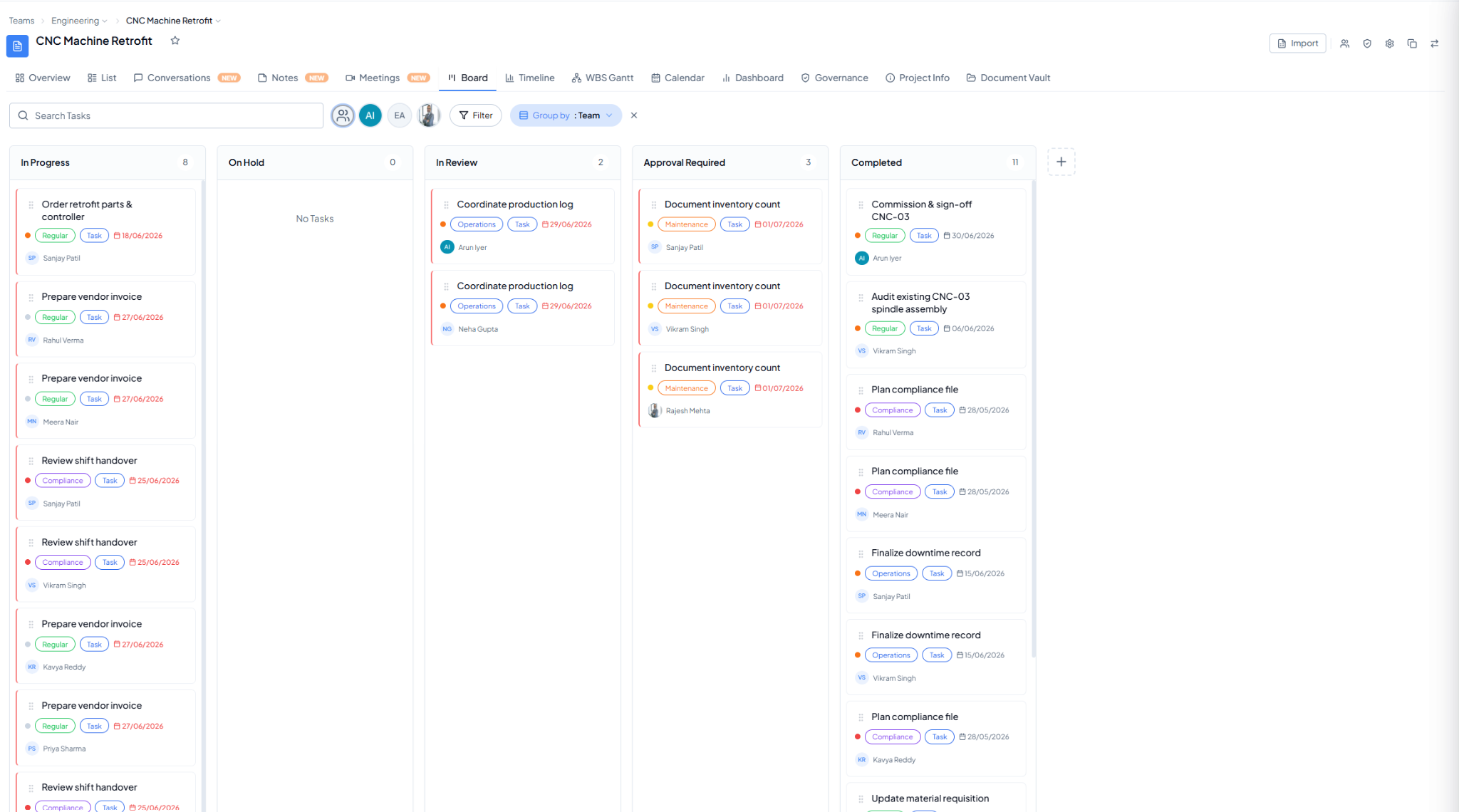 Board view showing task cards arranged by status.