
The List tab displays all tasks created under the project in a detailed table format, with search, filters, grouping, and column controls.
1. What Is the List Tab?
Each row represents a task and can show information such as Task, Assignee, Reporter, Followers, Task Type, Requirement Type, Priority, Status, Due Date, Overdue/Due In, and No Activity Since.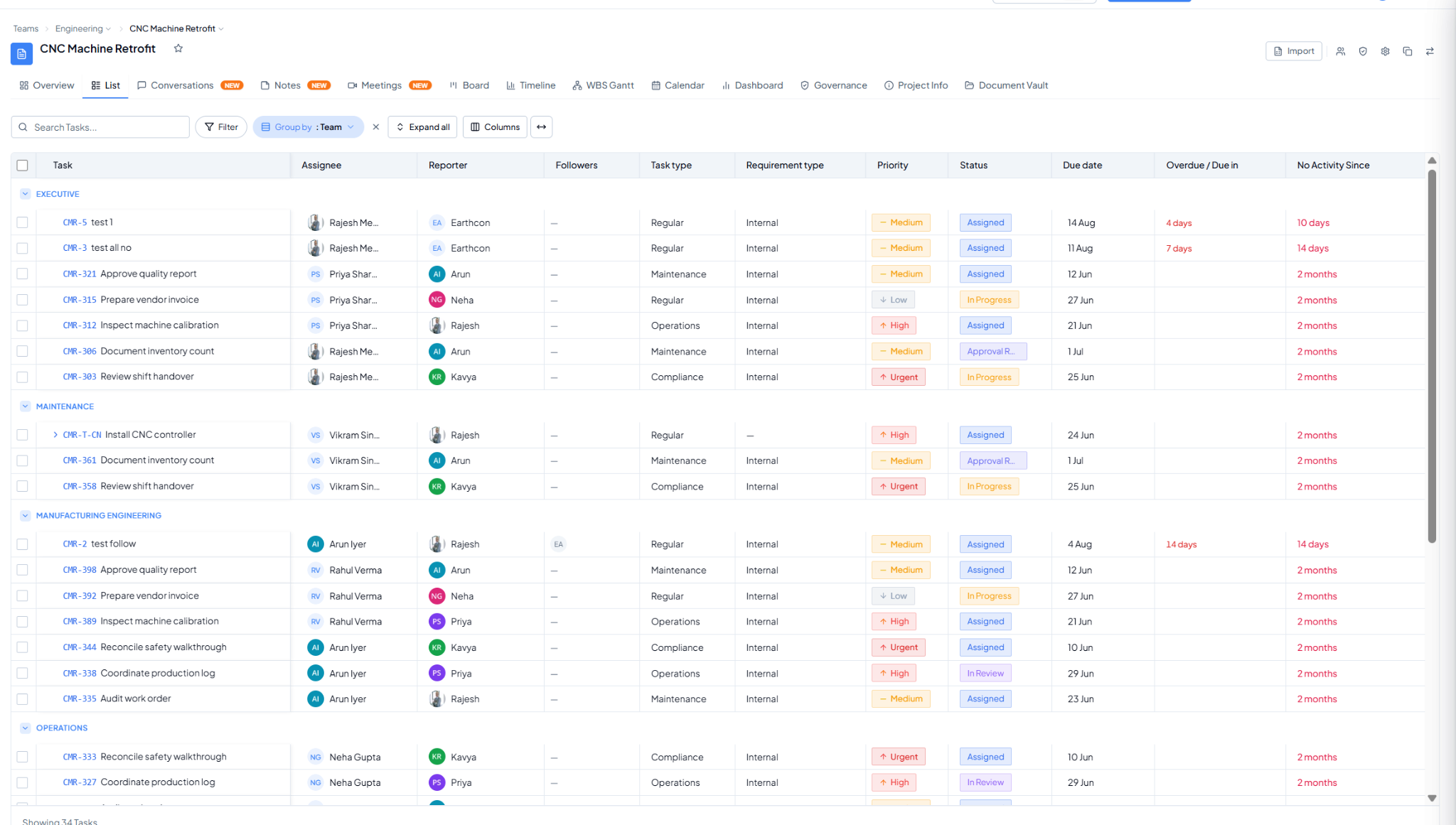 List view grouped by Team, with task details and list controls.