
The WBS Gantt provides a detailed project schedule using a Gantt chart. Project work is listed on the left and plotted against dates on the right.

1. What Is the WBS Gantt Tab?
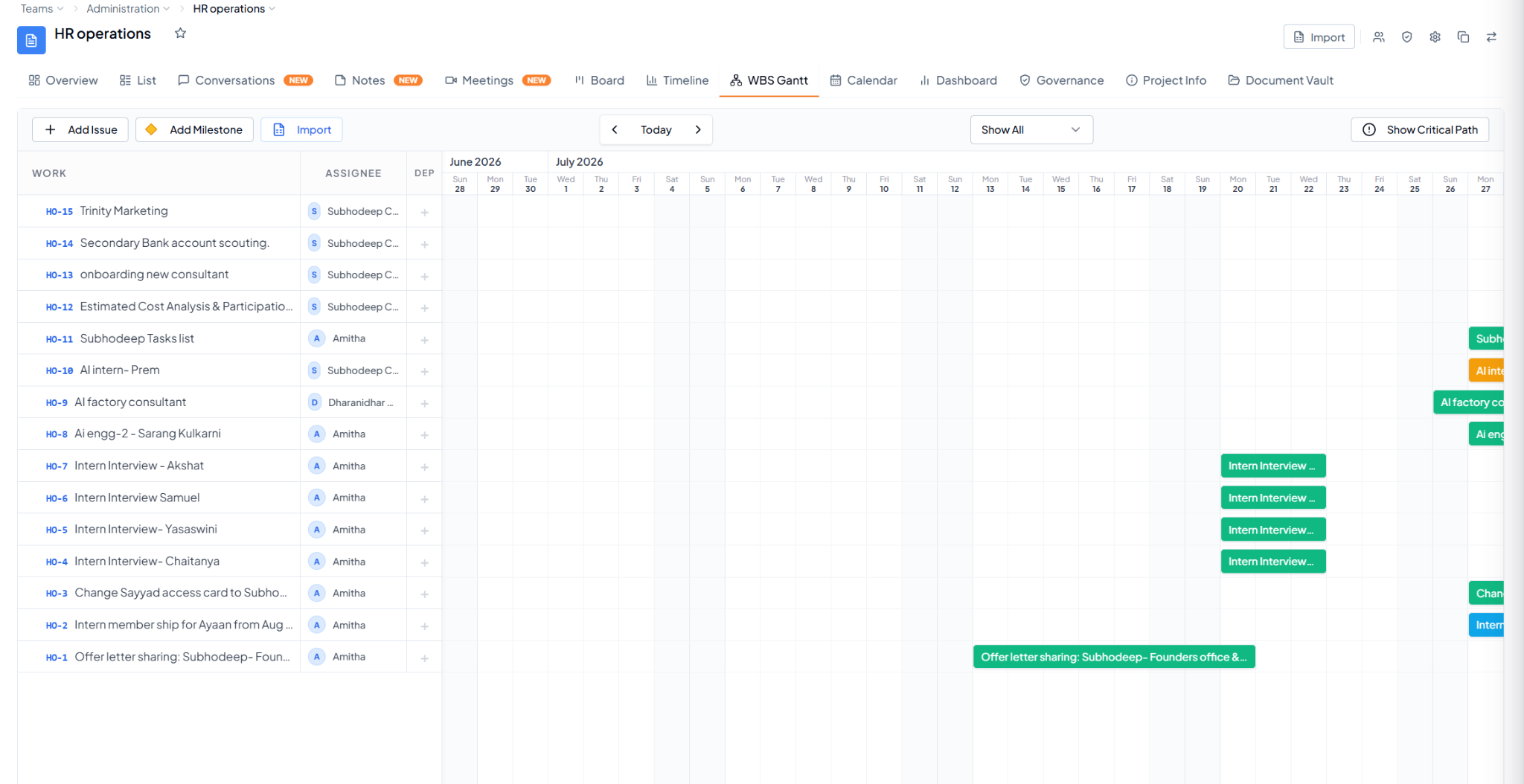
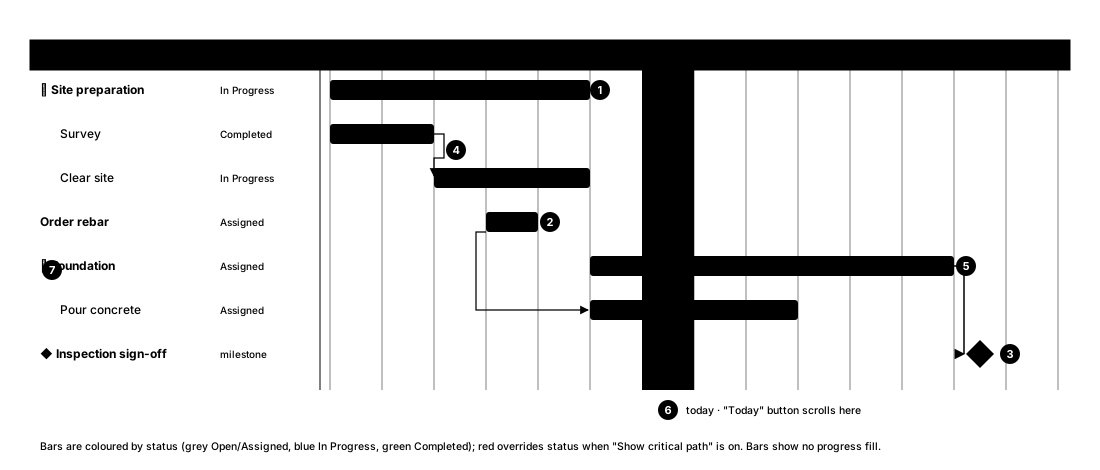
WBS Gantt showing project work, assignees, dependencies, and scheduled task bars WBS Gantt showing project work, assignees, dependencies, and scheduled task bars. An annotated Gantt chart. Left column lists tasks in a work breakdown: Site preparation with subtasks Survey and Clear site; Order rebar; Foundation with subtask Pour concrete; and a milestone Inspection sign-off. Right side is a 14-day grid with today highlighted on day 7. Bars show each task's dates; Order rebar has no end date so shows as a one-day bar; the milestone is a diamond. Arrows link Survey to Clear site (finish to start) and Order rebar to Pour concrete (start to start). Foundation, Pour concrete and the milestone are red as the critical path. Numbered callouts point at each feature. How to read the WBS Gantt — bars, dependencies, milestones, and the critical path.
2. Quick Controls

3. Why Is This Helpful?

WBS Gantt is useful for detailed planning when you need to understand task sequence, timing, milestones, dependencies, and critical-path work.

Timeline vs. WBS Gantt

Use Timeline for a simpler date-based view of tasks. Use WBS Gantt when you need more detailed planning around milestones, dependencies, and critical path.

For dependencies between individual tasks, see Task Dependencies.